
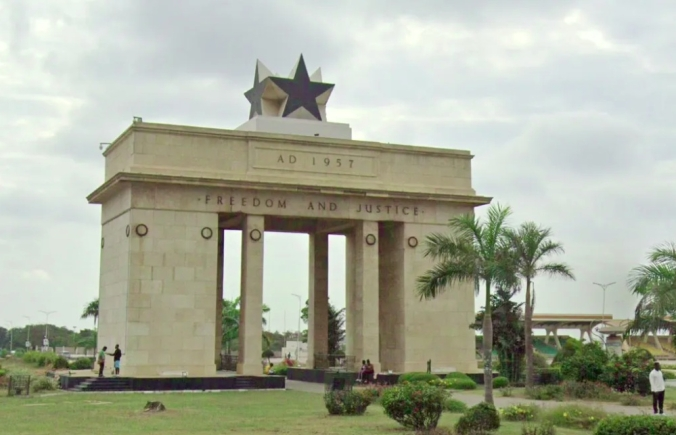

A decade after first bringing Street View to the “Gateway to Africa,” Google has returned with its most ambitious imagery update yet, offering the world a sharper, more vivid window into the vibrant beauty of Ghana.
The tech giant announced on Wednesday a major expansion of Street View coverage across the country, featuring deeper and wider imagery of Ghana’s bustling cities, national highways, historic heritage sites, and stunning coastal landscapes.
The update, which brings next-generation camera technology to Ghanaian roads, represents a significant milestone in Google’s ongoing commitment to keeping its maps fresh and comprehensive.
“We are thrilled to share a major imagery update across Ghana, featuring an expanded coverage of the country’s bustling cities, national highways, and historic heritage sites,” said Cynthia Wei, Street View Program Manager at Google.
The latest Street View now covers the road networks of Ghana’s largest and most bustling cities, providing deeper and wider coverage across Accra and Kumasi.
Users can now digitally stroll past iconic urban landmarks, from the striking ship-like architecture of the National Theatre of Ghana in Accra to the sprawling, vibrant stalls of Kumasi’s famous Kejetia Market.
Sports fans can even take a virtual tour outside the country’s most renowned athletic venues, including the Accra Sports Stadium and Kumasi’s Baba Yara Stadium.
Beyond these urban hubs, the imagery charts the major national highway systems, allowing users to virtually drive the N10 north through Tamale, or follow the N12 and N2 highways to explore the eastern and western regions. Google utilized upgraded camera systems to capture these routes, bringing sharper colors and crisper images to Google Maps.
Ghana’s rich history and natural beauty take center stage in this update, allowing anyone in the world to virtually experience spectacular destinations. Users can take a virtual journey to the coast to explore the historic forts lining the Gulf of Guinea shoreline, including the UNESCO World Heritage Sites, or head inland near Kumasi to discover the unique architecture of the traditional Asante buildings—testaments to the great Asante Empire.
The newly released imagery also captures the stunning coastal areas and beautiful beaches stretching across the southern edge of the country, while eco-tourism enthusiasts can follow the beautiful eco paths tracing Ghana’s major river systems, including the Volta River, and stop over at nature reserves and botanical gardens for a quick sanctuary retreat.
To mark its ongoing commitment to keeping maps fresh and comprehensive, Google has brought its absolute latest, next-generation Street View camera to Ghana in 2026. This ultra-portable, high-resolution system is already hitting the ground to kick off a new imagery refresh, with a major priority being the deepening of the footprint along the coast—turning single highway lines into detailed city views for culturally rich hubs like Cape Coast and Takoradi.
Perry Nelson, Site Lead for Google Ghana, encouraged users to explore the update, inviting them to head over to Google Maps, drop the Pegman, and start their virtual journey today.
To activate Google Street View, simply open Google Maps, search for a location, and look for the Street View imagery by using the methods below:
On a Computer (Web Browser) Search for a location or address on maps.google.com.
1. Click the small yellow Pegman icon in the bottom-right corner.
2. The map will highlight all available Street View areas in blue lines or dots.
3. Drag and drop Pegman onto a blue-highlighted road to enter Street View.
4. On a Smartphone or Tablet (iOS & Android)
Open the Google Maps app and search for a place.
1. Zoom in on the map until you find the exact street you want to see.
2. Tap and hold on the map to drop a red pin.
3. A small photo thumbnail of the location will pop up (usually in the bottom-left or top-left corner).
4. Tap the thumbnail to enter Street View.
Alternatively, in the mobile app, you can tap the Layers icon (the stacked squares at the top right) and select Street View to highlight all accessible roads in blue.